

Bitfocus AS
logo
logo
Bitfocus AS
logo
logo
Sign upSign in

Loading...

Bitfocus

Subscribe to our newsletter

The latest news, articles, and resources, sent to your inbox.

FacebookInstagramGitHubYouTubeLinkedIn

Products

  • Buttons
  • Companion

Integrations

  • Supported Devices
  • Developer Community
  • Connection Development

Support

  • Support Overview
  • Documentation
  • Video Tutorials
  • Community Forum

Sales

  • Resellers & Integrators
  • Buttons Pricing

Updates

  • Case Studies
  • Events & Trade Shows
  • Press Releases
  • Product Updates
  • Webinars

Legal

  • Legal Overview
  • Privacy Policy
  • Buttons EULA
  • Terms & Cookie Policy

Company

  • About us
  • Press kit
  • Careers

© 2026 Bitfocus AS. All rights reserved.

  1. Buttons
  2. Training & Resources

Training & Resources

Whether you're just getting started or looking to master advanced features, we have the resources to help you succeed with Buttons.

Expert-Led Training

Get personalized, hands-on training from our team of experts. Whether you're implementing Buttons for the first time or optimizing your existing setup, we'll help your team master the platform.
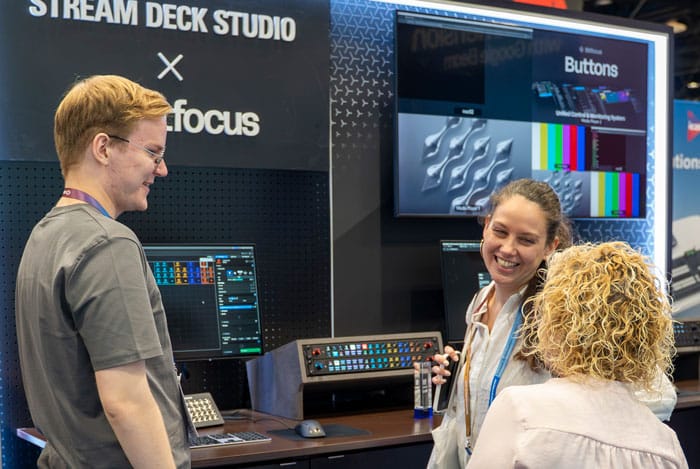
  • Customized training sessions for your team
  • Real-world workflows and best practices
  • Ongoing support and guidance
Jørgen - Buttons Training Expert

Documentation

Comprehensive guides and technical documentation to help you get the most out of Buttons.

Training Classes

We offer personalized training sessions for teams and organizations. Get hands-on experience with expert instructors.

Video Library

Watch our complete video training series on YouTube covering everything from basics to advanced workflows.

Video Training
Step-by-step video tutorials covering all aspects of Buttons. Perfect for beginners and advanced users alike.

Buttons overview

Get an overview of Buttons and how to get started, in this introductory training

Licenses

Learn how to add and manage your licenses in Buttons

Adding surfaces

Learn how to add surfaces to Buttons, and how to use them

Adding connections

Learn how to add connections to Buttons, and how to use them

Adding sections

Learn how to add sections to Buttons, and how to use them

Shift Section

Learn how to add shift sections to Buttons

Folder Section

Learn how to add folder sections to Buttons

Popover Section

Learn how to add popover sections to Buttons

Routing in Buttons

Learn how to route in Buttons, and how to use the routing interface

Need More Help?

Our support team is here to help you succeed. Whether you need technical assistance or want to discuss training options for your team, we're just a click away.