Loading...
Loading...
This module will connect to an instance of the Vor recording software on the local network. For more detailed information about installing, configuring, and using the Vor software, check out their helpful documentation!
Start Recording
Stop Recording
Toggle Recording
Take a Snapshot
Set the Show Name parameter
Set the Show Number parameter
Increment the Show Number by 1
Decrement the Show Number by 1
Reset the Show Number to 1
Load a Composition (layout configuration)
Quit the Vor software
Shutdown the Vor Server
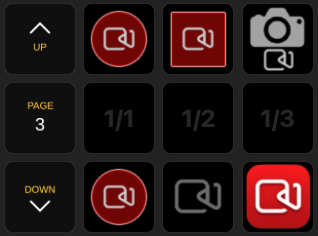
true to indicate the system is currently recordingPresets are available to simplify the most common tasks. Start with these helpful shortcuts and their lovely icons and customize your layout and behavior to suit your own workflow!
Recording Start - Start a recording
Recording Start - Stop a recording
Recording Toggle - Start/Stop a recording and update the button according to current recording status
Snapshot - Take a single frame snapshot
Recording Status - Visual feedback on a button to indicate a recording is in progress (no button press actions)