Great performances rely on rhythm and flow, and Buttons brings it all together. Whether lighting a concert, mixing audio for theater, or producing a worship service, Buttons gives operators creative freedom with technical precision. Control lights, media servers, projection, and sound in harmony so every cue lands exactly as intended.
One panel, every cue in the show
While the great glory of live theatre remains the performances of actors on stage, today there is also the need for a range of supporting technologies. Even aside from spectacular musicals there may be sound cues to add to the atmosphere and to bridge scenes; and many lighting changes to reflect the action and the location.
There may even be the need for PTZ cameras and screens to add visual dimensions. Backstage there will be the show relay overlaid with calls for actors and actions, and potentially multiple cameras (including infrared for blackouts) to guide performers.
Typically, the stage manager in the prompt corner has a number of control panels and microphones for various communications circuits, and will manage all the activities via cues added to the script book. This is inherently inefficient and risk-prone: far better would be a unified cue and control system.
Build the entire show, then run it simply
Designed as a flexible, agile, user-conformable workflow and control platform, Buttons is ideally placed to bring all the action together. Thanks to its huge number of connections it is capable of controlling virtually any piece of theatre technology.
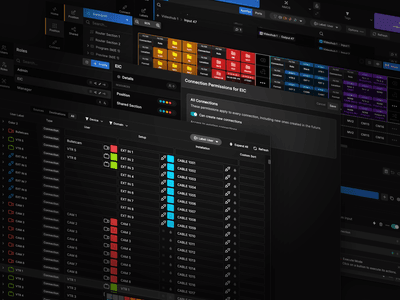
It also incorporates its own cue list functionality, so users can build the entire show within Buttons. All the equipment can be defined and connected, multiple actions scripted, and the cue list compiled. This definition stage is simple and intuitive: equipment and workflows are dragged into place on the screen.
On the night the user simply has a dynamic control panel, offering direct access to everything that needs to be controlled, with nothing extra to distract or confuse. A single, simple, ergonomically clear panel replacing all the technical clutter on the SM’s desk.
Cascade a whole sequence from one press
One of the great advantages of Buttons in the theatre is its ability to combine and cascade actions into complete events. Once the show is ready to start, for example, a single button press could dim house lights to half, fade the walk-in music, set the opening stage lighting cue, fire the opening audio effects, open the curtains, then take the house lights out. One button: perfectly timed and executed every show.
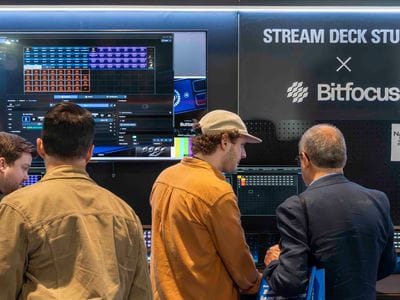
Typically, the SM will have a control panel like the Elgato Stream Deck Studio. This is a controller designed for the rigours of professional use. It features a number of dynamic buttons which tell the user precisely what the function is at that moment. Also included on the panel are a number of rotaries which can be used for fine tuning of audio levels or other variables.
The cue list function in Buttons allows for conditional variations, perhaps because of external actions or time of day. A show that has a child-friendly matinee version and an adults-only evening version runs from a single cue list, with the critical differences automatically managed.
Buttons and the controller are readily configured to control curtains, hoists, lighting, sound, special effects, cameras and projection, and anything else in the theatre. Setting up a production is simple and easily handled by the stage management team: no need for specialist programmers and delays.
With the show built in a Buttons cue list, the operator has just a single “next event” button to run the complete show. Simultaneous lighting, sound and stage machinery cues are triggered from just one key press.
From touring shows to multi-use spaces
Buttons is ideal for multi-use spaces, which regularly transform between performance venues, conference rooms and workshop spaces. Basic configurations for each use case can be planned in advance, allowing individual users to fine tune the facilities and control for each individual event. Switching from rehearsal to conference to playhouse is virtually instantaneous.
The built-in security system within Buttons means that each user has a unique log-in – a user name and password or an NFC token on surfaces. Logging in sets the system and the panels to that specific event: users just see their facilities and have no ability to change any other settings at all.
Buttons is equally applicable to touring productions. The move into a new theatre each week is always a challenge. With Buttons, control of every element of the show is always a constant. All you need to do is hook the Buttons control computer up to the local facilities and, as far as the stage management is concerned, each week’s venue is the same as the last.
The excitement in theatre should always come from the performances on the stage. Buttons eliminates technical anxieties and stress for the stage manager, to focus on the perfect show.