Published on October 2, 2026Last updated on November 24, 2026
Product UpdatesRelease NotesButtonsv1.8
Release Notes & New Features
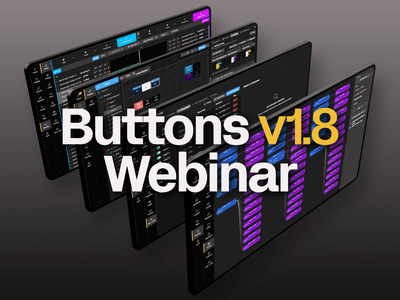
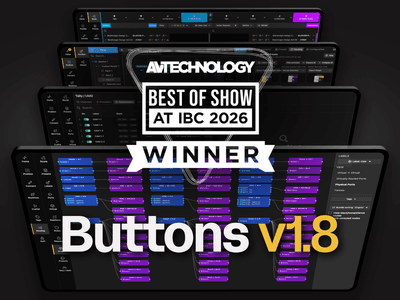
Buttons v1.8 is a huge release! Route signals across multiple devices, keep tally in step with your setup, and get more control over NMOS, buttons, and workflows.
Performance
Overall much better performance. Large routing setups should feel better in day-to-day use: the Routing UI is more responsive, and route dispatch is faster on busy systems. Large workflows stay responsive while you edit and move nodes.
Tally Management
Tally that keeps up with your show. Labels and tally lights follow the signal wherever it's routed, so what operators see on the multiviewer is always right. Bring in tally from your switcher, TSL, or anything else Buttons knows about, and send it to any UMD or display. Available on Pro and Enterprise plans.
Role Sections
One panel, the right controls for everyone. Build a view for each role in the same panel, and let an NFC card, a PIN or SSO decide what each person gets. The director, the camera operator and the audio engineer walk up to the same surface and see exactly what they need. Everything lives in one place, so it's easy to keep up to date.
Custom Router Section
Build the routing panel your operators actually want. Pick the sources and destinations they need, put them where they make sense, and decide how a route is taken. Combine it with any folders, popovers or shared sections you like. Nothing extra, nothing missing.
Tieline Management
Route across several routers as if they were one. Pick a source and a destination, and Buttons finds a free path between your routers and takes it. It even bridges baseband and SMPTE ST 2110 automatically, routing between SDI routers and NMOS devices in a single take. When the production is over, release everything in one go.
NMOS in one place
Run a built-in NMOS Registry and see senders, receivers, and multicast allocations in the NMOS inventory.
On Pro and Enterprise plans, Multicast Address Management can assign addresses to NMOS senders based on stream type. You can also set an address manually when a sender needs a specific one.
Virtual Routing
Let operators route Camera 1, not a list of ports. One take moves picture and audio together. Go bigger and patch a complete studio to a PCR in one go, with return feeds sent back safely. And when the hardware behind it changes, your panels and presets keep working as before.
More to explore
Surfaces and workflows
Connect compatible third-party control surfaces through an authenticated WebSocket interface. Buttons can discover and adopt them, then send layouts and button images. This requires a paid license. You can also rotate supported surfaces to match how they're mounted; position layouts follow the selected orientation.
Workflows gain Countdown, Stopwatch, HTTP Request, HTTP Query, Workflow Action, Value Mapping. Custom Workflow Actions can also be triggered from buttons.
An external automation system can take a route, execute a routing preset, or advance a cuelist without opening the Buttons UI. It can also read the active source for a destination, set workflow and position variables, and enable or disable workflows, connections, and surfaces.
Give each integration its own API key and grant only the permissions it needs.
Backups
Standalone installations can schedule local backups. You can inspect and restore saved backups or import one through the UI.
Workflows
Added Countdown and Stopwatch workflow nodes with start, pause, reset, editable time, and countdown looping controls.
Added HTTP Query and HTTP Request nodes.
Added preview of the nodes when hovering the nodes in the Node Pool, and better visuals of unsaved changes.
Companion / Modules
Added basic Companion module API 2.0 and 2.1 support for compatibility with newer connection modules.
Enhancements
There are lots of performance improvements and fixes across the board. Here are some of them:
Routing & Devices
Improved the behavior of some routing modules, like Videohub, SWP08
Improved surface responsiveness on slow or congested devices by preventing stale frame updates from building up, with more reliable reconnection for Stream Deck Studio/Cora, Densitron, and iPad surfaces.
Added USB Relay to the Add Surface dialog and improved Linux USB hotplug detection.
Improved position and cuelist navigation with cursor-centered zooming and wheel panning, and made the editor Back button follow visited folder history like a physical surface.
Improved workflow-editor performance and toolbar accessibility.
Reliability & Installers
Improved backup restore and import with metadata previews, progress reporting, and clearer reconnect messaging during planned restarts.
Added live password-requirement guidance and dashboard warnings for incompatible browsers.
Improved Windows and macOS installers by detecting a running Buttons application before upgrades.
Patch notes
1.8.3:
Fixes the Buttons is unavailable dialog randomly showing up on rare occasions
1.8.4:
Fixes
The NMOS registry connection no longer restarts if its missing some already adopted resources.
Adding or updating many NMOS devices at the same time is more reliable.
Tally keeps working for all inputs, even if one of them can't be reached.
The first button of a repeated button now shows its feedback on hardware surfaces.
Logging out no longer shows the "Buttons is temporarily unavailable" message.
Improve the performance if modules log intensely.
Improvements
The Add Connection dialog has a new "Only Dev" filter.
1.8.5:
Clicking an empty cell inside a Role Section now opens the selection and element creation menu again.
1.8.6:
Browser surfaces now open without an editor login and reconnect after connection interruptions without redirecting to the login page.
1.8.7:
Additional SSO scopes now keep their capitalization and any leading @ when added and saved.
1.8.8:
A stability and performance update focused on long-running systems, very large routers and smoother upgrades. We recommend it for all 1.8 installations.
Highlights
Custom router stays fast over time. Mounting and unmount custom router sections heavily could increase the routing execution duration. Take times now stay consistent.
Much better handling of very large routers. Systems with tens of thousands of router ports reconnect and sync faster, sync reliably the first time, and the Router view no longer gets stuck reloading or disconnecting.
Lower memory use on long-running systems. Fixed two cases where internal data built up over weeks. Existing build-up is cleaned up automatically after upgrading.
Improvements
Added support for the Blackmagic ATEM module version 4.4 in routing.
Feedback previews in the inspector now show the feedback's live image.
Router views refresh only what actually changed, so large systems feel more responsive and use less network bandwidth.
Router port status (online/offline/errors) stays up to date in the Router view without reloading.
NMOS, less frequent polling of IS05 endpoints for status updates.
Bug fixes
Fixed feedbacks that kept running in the background after leaving a page, or that ran twice when two buttons on the same page used the same feedback, which slowed the system down over time.
Fixed deleted router ports sometimes still being offered as routing paths.
Fixed connection variables (for example on an ATEM after a model change) sometimes showing blank values.
Fixed connection settings saved by a module sometimes being stored out of order.
NMOS: removed devices, senders, receivers and flows no longer appear on a node's details page.
NMOS: improved loading of adopted registry nodes.
Fixed MADI breakaway pickers showing the wrong options after changing selection.
Custom labels now accept 0 as the starting number for counters.
On macOS, Control+Click in the position editor now opens the context menu, like a right click.
Fixed a missing space in the license assignment summary.
Startup errors about a busy port now correctly name Valkey (the built-in data service).
Fix an issue with nested scrolling sections not rendering.
Upgrading
Systems that previously ran a 1.7.0 beta could be missing some connection action data after upgrading. 1.8.8 repairs this automatically during the upgrade.
1.8.9:
Fixed Tally Consumer actions triggered by label changes, such as ATEM input renaming. Actions now run without a tally lookup, synchronize on startup, and respond to relevant routing and label changes.
1.8.10:
A maintenance and security update with safer editing, faster routing selectors and fixes for connections, surfaces and tally.
Security
Updated the Node.js runtimes included in applications and container images for the October 2026 security fixes.
Updated dependencies and hardened signature verification to address HTTP, TLS, certificate verification, source map and serialization vulnerabilities.
Protected the database recovery controller's health checks against slow or oversized requests exhausting memory in High Availability installations.
Upgrading
Parent variables stored directly on a position's canvas are removed. Replace these with Position variables and update any expressions or actions that use them.
Feedback variables using Tieline Available Relation Count now return the number of available relations instead of true or false. Update boolean comparisons, for example to check whether the value is greater than 0.
Improvements
Module colour options now have a colour picker in actions and feedbacks. Module colour pickers accept exact colours and opacity where supported.
Routing endpoint and virtual bundle selectors load less data on large systems. Search now uses substring matching rather than fuzzy matching and includes port labels and parent connection, node and workflow labels.
The routing presets panel remembers the last selected source, destination and routing preset button types.
Disabled Add Cue and surface enable controls explain the free-tier or license limit. Workflow node limits include unsaved nodes when dropping or pasting, rather than only when applying.
Fixes
Applying from an outdated position or shared section editor no longer silently replaces newer changes. A Changed Elsewhere dialog lets you overwrite, discard your changes and reload, or cancel.
The editor recovers after extended network and VPN outages instead of leaving pages loading indefinitely.
Copying IDs and pasting assignments work over plain HTTP again. Failed copies report an error, and focusing the window no longer triggers clipboard permission prompts.
Connections restart and clear their connected status after exceeding CPU or memory limits or exiting unexpectedly.
Missing or incomplete module files no longer cause repeated connection restarts. The connection offers to download the missing version.
Modules with configuration fields missing an ID, including older Yamaha RCP versions, no longer crash on startup. Unrecognized module statuses show as warnings, and unavailable settings show an explanation instead of waiting forever.
Routing Presets containing virtual routes now show their status on the preset page and in Routing Preset Status feedback.
Execute Routing Preset and other internal actions show why they failed instead of "Unknown error".
Release Route Requests on the Relations page works again. Releases now respect destination locks, even when the original route used lock override, matching the Requests page.
Routing Rules only offer Relations with Use for tielines enabled. Existing Relations with tielines turned off show a warning.
Clear Selection in a Custom Router clears unlocked sides without failing or changing locked selections.
TSL Input feedback variables set to read a label now return the label text. Existing variables pick this up without editing.
Deleting a Tally Channel removes it from the Tally Providers that use it.
Encoder buttons start at their configured Initial value on the surface instead of always starting at zero.
Changing a surface's device orientation enables Save.
Expanding nested slots refits the virtual slot graph and keeps preset buttons aligned.
Repeated buttons using repeater variables no longer show false "Value is not in the list of choices" warnings.
Action enable switches no longer hide behind the inspector's menu button.
Passkey registration and sign-in work on the editor's listener ports when the configured public address uses a different port or scheme on the same host.
Failed administrator lookups during password reset can be retried without restarting Buttons.
Fixed first-time startup on Windows when the system locale name contains non-ASCII characters.
1.8.11:
A maintenance update with support for Companion module API 1.15, more Riedel MediorNet routing and new Stream Deck Studio firmware, plus fixes for NMOS, routing, Stream Deck surfaces, connections and workflows.
Upgrading
On a turned Stream Deck Studio or Galleon K100 SD, each dial now drives the button next to it. A Studio dial drives the top button at its end of the surface, or the left one when the Studio is turned sideways. Check buttons with the Location encoder assignment on turned Studio and Galleon surfaces.
To use a Stream Deck Pedal with a Stream Deck Studio, install Stream Deck Pedal firmware 2.0.4.2 with the Stream Deck app before you update the Studio to firmware 2.02.002.
Improvements
Connection modules built with Companion module API 1.15 are supported, including modules that run on Node.js 26.
When you add a connection, module versions that still run on Node.js 18 show a Node 18 warning.
Riedel MediorNet connections offer their audio, data and multi-channel audio matrices in routing, not only video. GPIO is offered on units that have GPIO targets.
Stream Deck Studio offers an update to firmware 2.02.002 when it detects older firmware. The new firmware improves the frame rate, adds Stream Deck Pedal support, adds protection against random data and fixes the queuing of button events.
New buttons no longer scroll text that does not fit. You can turn scrolling on for each button in the inspector.
Unsupported Densitron panels are no longer offered when you add a surface.
Fixes
NMOS
Routes to a grouped receiver, such as a Riedel FusioN channel, pair the same audio every time. A take that the device accepted is no longer reported as failed or repeated on another interface, so the routing report no longer shows a timeout for an uncabled interface. Group takes also work on devices that send "error": null for successful receivers.
When a device with two network interfaces rejects a take, the routing report shows the device's own answer instead of a timeout from its other interface. A take that was rejected because the receiver's leg count changed is corrected and retried.
Senders no longer keep an SDP error or an old SDP until you turn them off and on. Buttons reads the SDP again when a read fails while a device starts, and when a P2P device changes only the sender's version. A failed read that recovers with the same SDP no longer causes reconnect_on_sdp_change to re-route receivers.
Multicast addresses reserved for a sender that was removed from its node are released after 30 days, instead of staying reserved until someone releases them by hand. Until then, a device that comes back finds its old addresses free. Another sender gets one of these addresses sooner only when its range has no other free address, and the log names the sender it was taken from.
Renew from pool re-assigns senders instead of only releasing their multicast addresses.
On a machine with several networks, the NMOS Registry announces to each network only its own address over mDNS, so devices no longer pick an address they cannot reach and fail to register. Docker, virtual machine and VPN addresses are offered only when the machine has no other IPv4 address. The announcement follows network changes while Buttons runs. An advertised host or IP set for the registry is still announced on every network.
NMOS Registry connections that mDNS or DNS-SD adoption created keep their adopted nodes and port settings when the Registry is missing from discovery. With a fallback strategy, they are also kept when the Registry comes back with a different UUID.
A registry node connection shows a warning when the registry removes or expires the node, instead of staying green. The node's ports come back when it returns.
A manually added P2P node that was switched off reconnects within about a minute after it comes back. Before, it could wait for hours, and only disabling and enabling the connection brought it back.
Behavior settings show the behaviors that are saved. Before, they could show every behavior as off while some were on, and saving then turned every behavior off.
Unsaved changes to the settings of an mDNS-managed node are kept when discovery updates the node, and they save reliably. The endpoints and API version show that mDNS set them.
Devices that leave the port out of their Host header can open the registry's subscription websocket. Before, they were sent to port 80 and kept creating new subscriptions.
The built-in NMOS registry stays responsive when many devices register at once, such as when a large plant starts.
The NMOS registry, routing and log views keep working when a very large number of entries change or are read at once, such as when many NMOS nodes expire together.
The built-in NMOS registry answers a query whose paging.since is ahead of its clock with an empty page instead of an error, and its X-Paging-Until is never earlier than that paging.since.
Routing
Routing presets that route a whole virtual bundle execute. Before, Execute reported "No routes to execute" and nothing was routed.
Routing Preset Status lights when a preset routes a virtual slot to a different slot, such as Program on one shape to Program on another.
Saving staged routes from the Route page as a routing preset keeps the matching preset between virtual bundles of different shapes, so the preset shows its status and can execute.
Hovering a virtual bundle's name in the route execute view shows its summary instead of "Not found".
The Virtual filter in the routing view appears when the first virtual bundle is created, without reloading the page.
A destination's last known route is cleared when its port, or the port routed to it, is removed or its connection is deleted.
When releasing routes or routing black from Relations fails, for example because the destination is locked, the message points to the routing report and offers View Details. It no longer blames preview route validation.
The inspector shows all custom router feedback types, including ejected preset labels, and you can set their presets and endpoints.
In a Router Section, the lock menu is labelled Locks and has separate Lock and Unlock actions.
Routing on Riedel MediorNet connections works again. Takes no longer fail with "Value is not in the list of choices".
Evertz Quartz routers use the router size and level system from the connection's settings, instead of always showing a 16x16 router with 8 levels.
Utah Scientific routers with no levels set in their XY settings get one level for each router level in the connection's Number of Levels setting, instead of a single Video+Audio level.
Surfaces
Elgato Stream Deck devices keep working with newer firmware that adds fields to device messages.
On a turned Stream Deck + or Stream Deck + XL, each encoder drives the button on the touch strip segment next to it.
A button with the Location encoder assignment and the Value on white background Active Style shows the value on white only where an encoder turns it. Other Location buttons no longer show it.
The rest of a button's actions run after one of them changes the page or closes the popover that the button is on. Since 1.8, the remaining actions were skipped.
The surface service no longer sometimes crashes the first time it starts, including when it takes over after a node failure in a High Availability cluster.
Connections
Stopping or disabling a connection no longer risks stopping all other connections.
A connection that you disable and enable again quickly shows the correct status, instead of showing as stopped while it runs.
When a connection's module files go missing, the module download controls show without an application restart.
Actions, workflows and cues
Invert on a condition changes which branch Action Logic, Feedback Logic and While run, as the editor shows.
Conditional cue actions that use Internal Feedback Expression take the correct branch. Before, they always ran the else branch.
Workflow actions that trigger on startup run once, and they wait for their connection to start instead of failing when Buttons starts before the connection is ready.
Clearing an option label in a Workflow Action node no longer breaks the workflow editor.
Duplicated positions, cuelists and shared sections keep their page and section targets in internal actions, such as Set Active Page.
High Availability
Services recover faster when a node in a High Availability cluster goes down. Before, the DNS cache on each node was not active, so services could fail to find each other for up to a minute after a node was lost.
1.8.12:
A maintenance update with fixes for personal PIN unlocking, encoder buttons and virtual bundle routing presets.
Fixes
Browser sessions keep working after you unlock or lock a section with a personal PIN. Before, the next page load could fail with "Could not check your session", and restarting Buttons did not help. A browser that an earlier release left in this state goes back to the sign-in page, so you can sign in again.
Press and Release actions run on a button whose encoder assignment is Location or a numbered encoder (Enc 1 to Enc 16). Before, pressing the key or tapping its touch strip segment did nothing, so a mic button with a fader on the dial and mute on the press did not mute. Each tap on a Location button now runs both Press and Release, like a button without an encoder. Click Select buttons work as before.
Apply Preset on a virtual bundle routes every rule of the matching preset, including return feeds, child presets and Exclusive destination. Before, it routed only the first rule.
When more than one matching preset fits a virtual bundle pair, a take uses the preset chosen in a Custom Router or in the Control API's activeMatchingPresetId option. Before, the pair always used its first applicable preset.
1.8.13:
A maintenance update with TAG Video Systems MCS routing and video and audio ports for Nevion VideoIPath, plus fixes for Router Sections, the position editor, the bundle and port picker and module downloads.
Upgrading
With version 1.2 of the Nevion VideoIPath module, virtual bundle slots that list only Video+Audio+Data no longer offer VideoIPath ports. Add Video or Audio to those slots.
Improvements
TAG Video Systems MCS connections can be routed. Route inputs to the PIPs of a layout, and route layouts to outputs. Turn on the module's Enable Layout Variables setting so that Buttons shows which input is on each PIP.
With version 1.2 of the Nevion VideoIPath module, each VideoIPath vertex shows as a video or audio port, according to its format, so audio and video are no longer offered as routes for each other. Saved routes, mappings and presets keep their ports.
Fixes
In a Router Section with Locked Destination and Auto Take, the source key no longer turns white about 2 seconds after a take. Before, when the route was then changed from elsewhere, the first press on that key only cleared it and nothing was routed.
The position editor shows sections that need a login the way an operator meets them. Only Simulate NFC card read logs an operator in, with the role chosen under View as role, and sections that need a PIN accept any PIN. Before, the editor logged in as you and checked your own roles and PIN. Role Sections start locked, and after a card read they show only the Role Views that match the role. View as role: Default is now No role.
A Logout Session action run from the position editor logs out only the editor's preview. Before, it logged out every operator on the position's surfaces.
In the bundle and port picker, such as in the tally editor, you can keep typing in the search after you choose All Sources, a tag, a connection or a bundle. Before, typing did nothing until you clicked the search box.
Older modules from the module store install again. Before, versions such as generic-ping 2.0.0 and generic-tcp-udp 2.1.3 failed with "Failed to install module". This happened most often on High Availability clusters.
1.8.14:
A maintenance update with support for newer TAG Video Systems MCS and Nevion MRP modules, route clearing on both routers and tally and colour filters for TSL Server inputs, plus fixes for large routing presets on Windows, Videohub settings, tally and Companion module upgrades.
Improvements
TAG Video Systems MCS connections route with versions 1.3 and 2.0 of the TAG MCS module. Before, a connection upgraded to either version lost its routes.
TAG Video Systems MCS connections can clear a PIP or an output. Under None / black source for PIPs, choose the first or last input, and under None / black source for outputs, the first or last layout, wired to black. Before, clearing a route failed with "None route source not found".
Nevion MRP connections can clear a route. Set None / black / silent source to Router disconnect, or to the first or last input when that input is wired to black or silence.
Nevion MRP connections on version 4.0 of the module get their router ports.
A Tally Provider's TSL Server input can listen to any tally on an address or to one, such as Left, Text or Right on TSL 5.0, and count only Red, Green or Amber as on. Inputs set up before keep reading the same tally in any colour.
Stream Deck Studio offers an update to firmware 2.02.004 when it has older firmware.
Fixes
Large routing presets run on Windows. Before, a preset with about 240 routes or more timed out after two minutes and nothing was routed.
Blackmagic Videohub connection settings save on routers with more than 288 inputs or outputs, such as IP Videohub. Switch these connections to version 3.3.0 of the Videohub module to get the fix. Version 3.3.0 makes Select Destination and Route Source presets for the first 300 inputs and outputs only.
Expressions in action and feedback options, such as those you enter in the inspector, are kept when a Companion module upgrade script runs. Before, they were lost.
Nevion MRP destinations no longer keep showing their previous source after the router disconnects them or reports an input that has no port.
Tieline Available Relation Count counts only enabled relations with Tielines set to Yes, so it matches the Tieline Capacity Overview on the Relations page.
TSL outputs react faster when a Tally Consumer turns on. They no longer wait for the consumer's actions to run, and over TCP each frame of a cut no longer waits for the receiver to acknowledge the one before.
Tally providers and consumers move at once when you drag them to a new place. A duplicated provider or consumer appears directly below the original.
Searching the Ports Config table uses the label you just chose in the label selector. Before, the search used the new label only after a refresh.
The TAG Video Systems MCS router lists layout PIPs before outputs, so inputs line up with PIPs and layouts with outputs when routes are matched in order.
1.8.15:
A maintenance update with faster Videohub takes, clearer route request status and an option to hide Router Section buttons, plus fixes for TAG Video Systems MCS ports, NMOS receivers, Nevion MRP, large routing presets and Stream Deck Studio firmware upgrades.
Upgrading
TAG Video Systems MCS ports are now Video+Audio+Data ports. Virtual bundle slots that list only Video no longer offer them. Add Video+Audio+Data to those slots.
Improvements
Router Sections can hide the Shuffle button and the quick menu (…) to leave more room for sources and destinations. Turn off Show Shuffle Button or Show Quick Menu under Options in the section's General settings.
Large routing presets and takes on many destinations finish much faster on Blackmagic Videohub routers with version 3.2 or later of the Videohub module. Buttons sends the next routes as soon as the router confirms the previous ones, instead of pausing between every few routes.
The Status tooltip on Route Requests and in a project's route list names the port that is not routed as requested and the source it expects, with the essence when the port carries only video, audio or data. For example: "Destination Monitor IN (video): no live source in Buttons; expected Converter OUT (video)". Before, it said only that "a via segment" was not currently routed.
Fixes
TAG Video Systems MCS ports show as Video+Audio+Data instead of video only, because MCS streams carry all three. Custom Routers still route a video-only source, such as a switcher input, into them, and with all levels on (the default) they can now also route a video-only source into the Video+Audio+Data ports of Videohub, KUMO or VideoIPath routers.
Stream Deck Studio firmware upgrades complete. Before, the surface disconnected a few seconds into the transfer.
Running a large Routing Preset while its page is open no longer makes Buttons stop responding with a "temporarily unavailable" message. The preset page shows the result as soon as the routes are done.
An NMOS receiver shows its source again when its sender comes back, such as after the sender loses its flow and gets it back. Before, the receiver had no source, and its routes showed as broken, until its subscription changed.
After Buttons restarts while an NMOS node or its registry is unreachable, receivers on other nodes keep that node's sender as their active source. Before, they had no active source until the node came back, and route requests through them showed as Broken.
Nevion MRP routers keep their ports and routes while the connection restarts.
A Router Context Action run from the inspector acts on the Custom Router that the button is in. Before, it failed.