Bitfocus AS
logo
logo
Bitfocus AS
logo
logo
Sign upSign in

Loading...

Bitfocus

Subscribe to our newsletter

The latest news, articles, and resources, sent to your inbox.

FacebookInstagramGitHubYouTubeLinkedIn

Products

  • Buttons
  • Companion

Integrations

  • Supported Devices
  • Developer Community
  • Connection Development

Support

  • Support Overview
  • Documentation
  • Video Tutorials
  • Community Forum

Sales

  • Resellers & Integrators
  • Buttons Pricing

Updates

  • Case Studies
  • Events & Trade Shows
  • Press Releases
  • Product Updates
  • Webinars

Legal

  • Legal Overview
  • Privacy Policy
  • Buttons EULA
  • Terms & Cookie Policy

Company

  • About us
  • Press kit
  • Careers

© 2026 Bitfocus AS. All rights reserved.

Oct 1st: Buttons v1.8 release notes →

Buttons

Control Anything. Route Everything

Buttons is the professional control software for AV and live production. Stop managing complexity, start directing creativity. Go from idea to execution in minutes, not weeks, with a visual interface anyone can master.

Free to use in production. No credit card required

Get started for free→Prices & Plans
DownloadsTraining & DocsProduct Sheet

Designed for the Operator

Spend less time programming and more time creating. Buttons eliminates tedious tasks, letting you build the exact control surface you need, faster than ever.

  • ✓Dynamic Canvas: Forget rigid pages. Create scrollable sections, nested folders, and popovers to organize controls logically and infinitely.
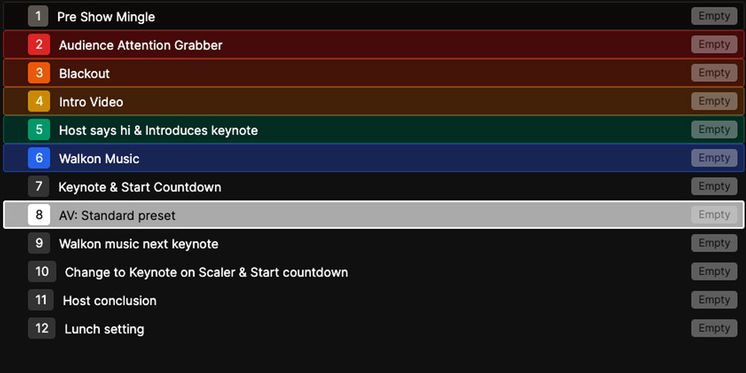
  • ✓Cue Lists: Build and fire sequential actions with ease. Perfect for show rundowns, theatrical cues, or any step-by-step process.
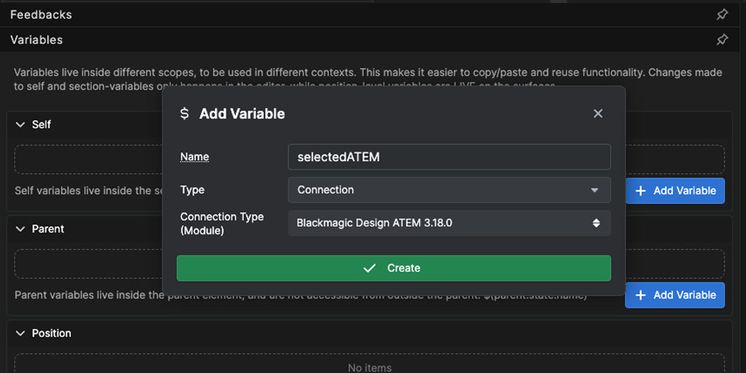
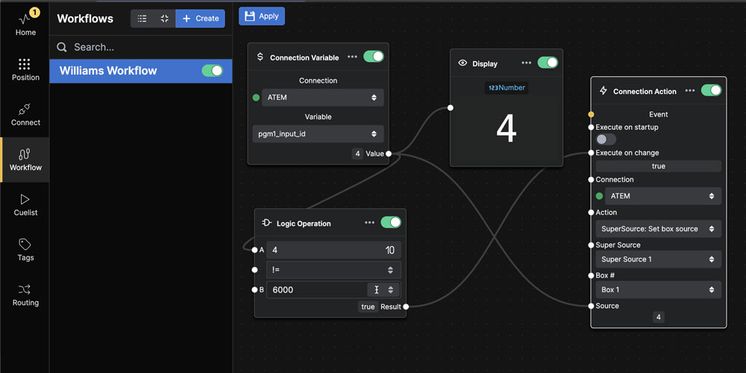
  • ✓Visual Workflow Editor: Automate complex sequences with a graph-based logic editor without writing code.
  • ✓Intuitive from Day One: A clean, modern web interface means you don't need weeks of training.
Visual Workflow Editor
Stream Deck Studio in OB Truck
Wins since v1.0
Buttons in a broadcast gallery
Multi-position Architecture

A Smarter Investment

Buttons reduces operational costs, mitigates risk, and future-proofs your investment with modern technology. This is efficiency you can measure.
  • ✓Reduce "Key Person" Risk: An intuitive system empowers your whole team, distributing knowledge and reducing dependency on a single, highly-trained engineer.
  • ✓Lower Total Cost of Ownership: Runs on off-the-shelf hardware. Minimize expensive training and commissioning. Maximize the productivity of your existing team.
  • ✓Operational Security: Enterprise tiers offer high availability, ensuring your system is resilient to hardware failure.
  • ✓Start Free, Scale When Ready: Test in production at no cost. Upgrade only when you need more capacity or enterprise features.
Key Features
Workflows
Workflows
Create complex workflows and sequences using a graph based programming interface
Cue Lists
Cue Lists
Create cue lists and recall them step by step, with the regular actions we all know and love
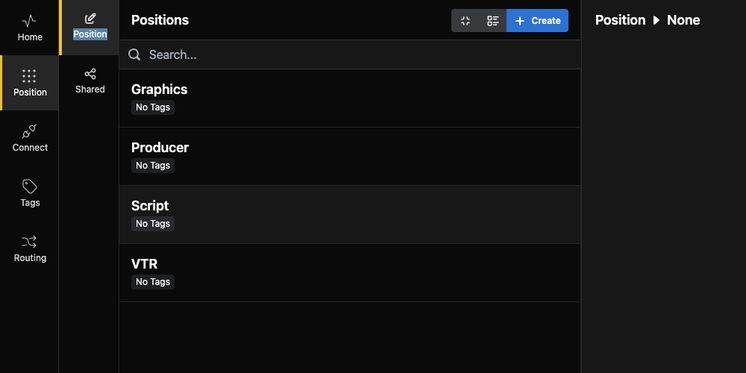
Position Based
Position Based
Positions separates and organize the programmed buttons for setups with multiple operators or locations
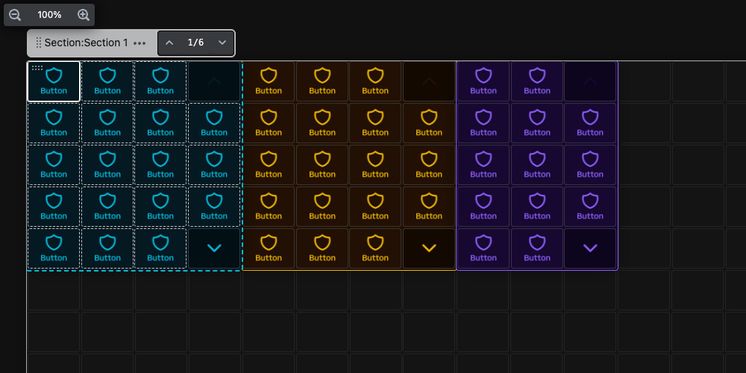
Sections
Sections
Organize buttons into individually scrollable sections. Secure one or more sections with a PIN code - or NFC card using a Stream Deck Studio
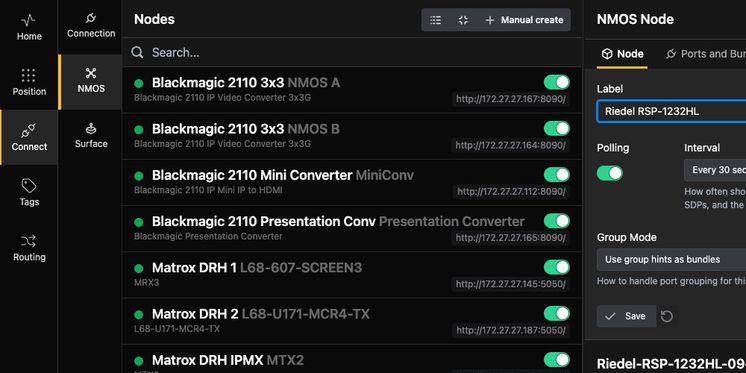
Native NMOS Routing
Native NMOS Routing
Buttons supports routing ST 2110 and IPMX audio and video signals via the NMOS standard
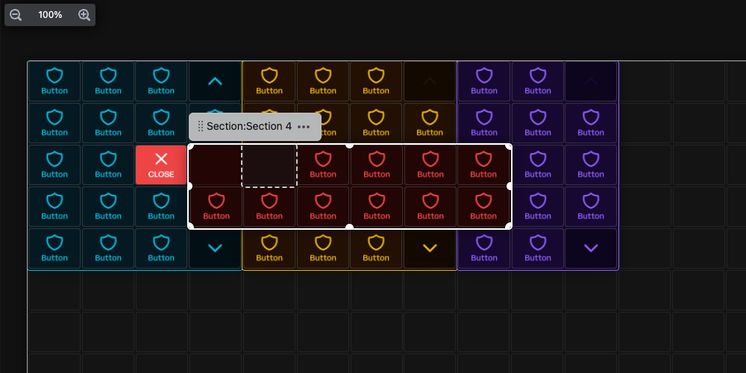
Popovers
Popovers
When you want quick access to something, you can add a button that spawns a popover with more room for buttons when clicked
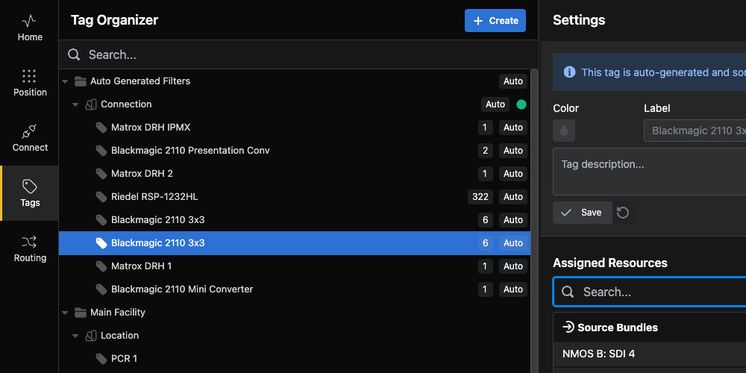
Tag based resources
Tag based resources
Organize and access manage resources using tags. Tags can also be used to define locations, functions and security contexts
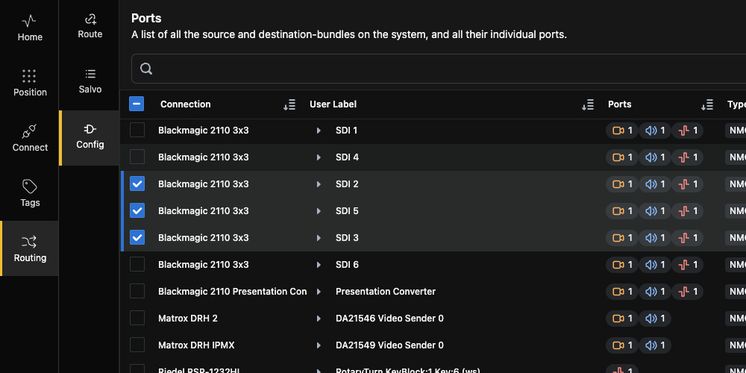
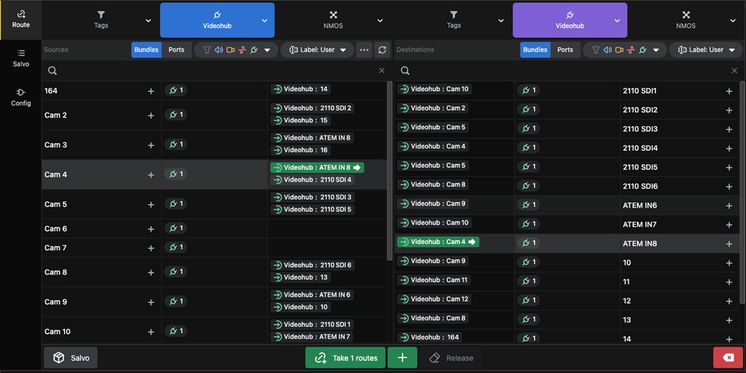
Port Management & Routing
Route internal resources in ATEM, VideoHub, vMix and an increasing number of other devices out of the box
Multi Routing & Salvos
Store routes, route individual ports or entire bundles. Intuitive web interface for mass routing for standard configs and similar cases
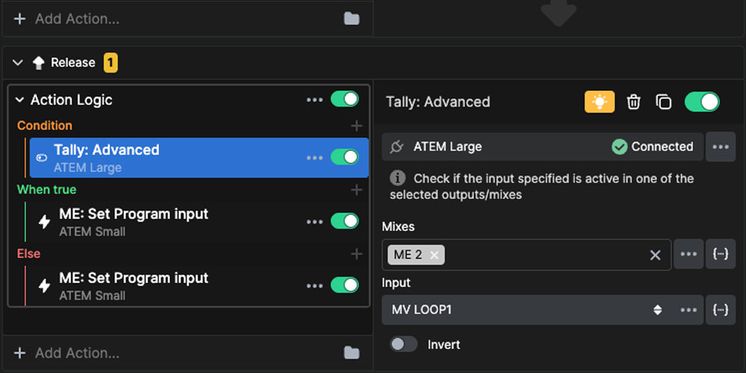
Conditional Actions
Conditional Actions
Make a button do something only if a condition is met, like a feedback or a variable
Patchable Connections
Make buttons that trigger interchangable connections, for example to different studios or racks
Applications
Buttons thrives in any environment where technology is connected to a network. If your devices and software can be controlled digitally, they can be unified into a single, powerful interface to streamline operations and reduce human error.
Broadcast Galleries

Broadcast Galleries

Streamline control of audio mixers, graphics, routing & intercoms for news, sports & live shows.

Master Control (MCR)

Master Control (MCR)

Control playout, routing (SDI/IP/2110), monitoring and failover control for reliable 24/7 transmission for TV & Radio.

Corporate Events

Corporate Events

Manage presentations, video playback, lighting, audio & cameras for impactful town halls, conferences & webcasts.

Live Performance & Worship

Live Performance & Worship

Control lighting consoles, media servers, audio systems & projection for concerts, theatre & house of worship services.

Conference Rooms

Conference Rooms

Control of displays, VC systems, audio routing & environmental settings in boardrooms, courtrooms & training rooms.

Education

Education

Simplify technology management for classrooms, lecture halls, auditoriums & campus-wide communication systems.

Remote Production (REMI)

Remote Production (REMI)

Efficiently manage cameras, encoders, routing & communications between remote sites & central control rooms.

Digital Signage & Display

Digital Signage & Display

Control content playback, scheduling & device power for billboards, video walls & public information displays.

broadcast-galleriesmaster-controlcorporate-eventslive-performance-worshipinstalled-av-spaceseducationremote-productiondigital-signage-display
Elgato Logo
Stream Deck Studio
Buttons and the Elgato Stream Deck Studio are designed for each other. You're not limited to just that surface—Buttons supports the full lineup of Elgato Stream Deck surfaces, from desktop units to rack-mounted solutions with advanced features like NFC/RFID authentication and rotary encoders. You can also use touch screens or just a regular web browser.
Stream Deck Studio
Studio

Studio

1U rack mountable unit with 32 buttons, 2 encoders (with 24 LEDs) and builtin NFC/RFID reader.

→ Product Page
XL

XL

Desktop unit with 32 square buttons.

→ Product Page
Regular

Regular

Desktop unit with 15 square buttons.

→ Product Page
Plus

Plus

Customizable LCD keys, dials, and touch strip. Stream Deck + is your audio mixer, studio controller, production console – anything you want it to be.

→ Product Page
Plus XL

Plus XL

With dozens of customizable controls and endless integrations, Stream Deck + XL puts entire productions and systems under your command—all from one intuitive interface.

→ Product Page
Neo

Neo

Eight square buttons, a small LCD strip and 2 RGB buttons.

→ Product Page
Mini

Mini

Big power, compact form factor. Six customizable LCD keys bring the iconic Stream Deck experience to tight setups and focused workflows.

→ Product Page
Pedal

Pedal

Sturdy, customizable and discreet, Stream Deck Pedal gives you instant hands-free control.

→ Product Page
Network Dock

Network Dock

Network Dock breaks the USB barrier with Ethernet and PoE support, so you can power, mount, and deploy Stream Deck in new ways.

→ Product Page

Get started with Buttons today. Use it in production at no cost, with no time limits and no credit card required. Experience the full power before making any commitment.

Free tier includes 16×16 routing, 32 cue list cues, 32 workflow nodes, 32 active connections, and 2 physical surfaces

Buttons Connections
→ See all connections
Frequently Asked Questions

If you can't find what you're looking for, email our sales team at sales@bitfocus.io, and we'll get back to you.